So this is the story of me trying to apply for an education loan in India for a Master’s degree at a Central Government University...
Quick facts:
Level: Post Graduate / Master’s Degree
University: Rashtriya Raksha University, Gujarat (U-0595)
Type: Central University & Institution of National Importance (under Ministry of Home Affairs)
Portal: PM Vidyalaxmi (pmvidyalaxmi.co.in)
Result: Stuck halfway through due to an unresponsive ASP.NET course selection popup that crashes the browser — followed by a bounced email from the official helpline
Whenever you open a newspaper or watch government announcements, there is a lot of talk about Digital India, “faceless, transparent governance,” and making education accessible to every deserving student. In theory, India has set up a flagship single-window portal for this called PM Vidyalaxmi. Run by Protean eGov (formerly NSDL e-Governance) under the guidance of the Ministry of Education and the Department of Financial Services, it promises to let students apply for education loans across public and private banks with a single common application form.
You would think that if you have an admission offer for a Master’s degree at an Institution of National Importance run by the Government of India itself, applying through the Government’s own designated loan portal would be the smoothest digital experience imaginable.
Well, here is what actually happens when you sit down in front of a laptop and try to fill out the form.
Step 1: The Login & The Migration Ticker
I went to pmvidyalaxmi.co.in. The first thing that catches your eye at the top of the screen is a bright orange scrolling marquee warning:
“Credit Guarantee Fund Scheme for Skill Development (CGFSSD)/ Skill Loan has been migrated to JanSamarth Portal. Applicants to proceed to JanSamarth Portal...”
Before you even begin, you get the distinct taste of Indian government IT architecture: portal fragmentation, where schemes get launched on one portal, then partially carved out and pushed onto another, leaving users guessing where their application actually belongs.
Nonetheless, I entered my email and phone number to sign up. The portal sends a One-Time Password (OTP) to validate your credentials.
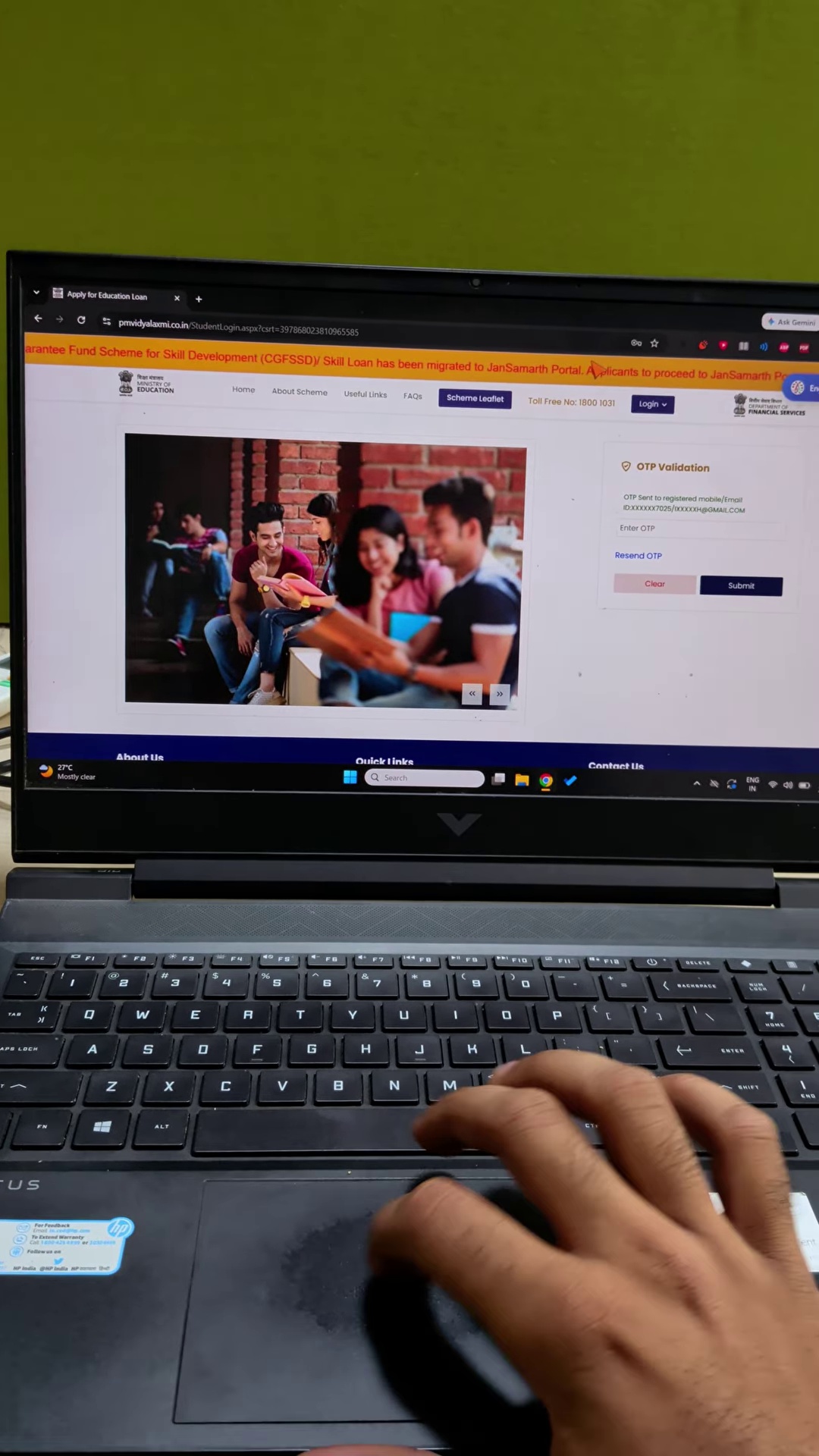
The OTP arrived promptly in my Gmail inbox with the portal’s inspirational tagline: “PM-VIDYALAXMI: Inspiring Learning, Achieving Goals.”
I entered the OTP, logged in, and entered the student dashboard.
Step 2: The Dashboard & The Illusion of Progress
Once inside, you are presented with four scheme cards:
- PM Vidyalaxmi Loan Scheme
- IBA Model Education Loan Scheme (India and Abroad)
- IBA Skill Loan Scheme (with a note to apply on JanSamarth)
- PM-USP CSIS (Central Sector Interest Subsidy)
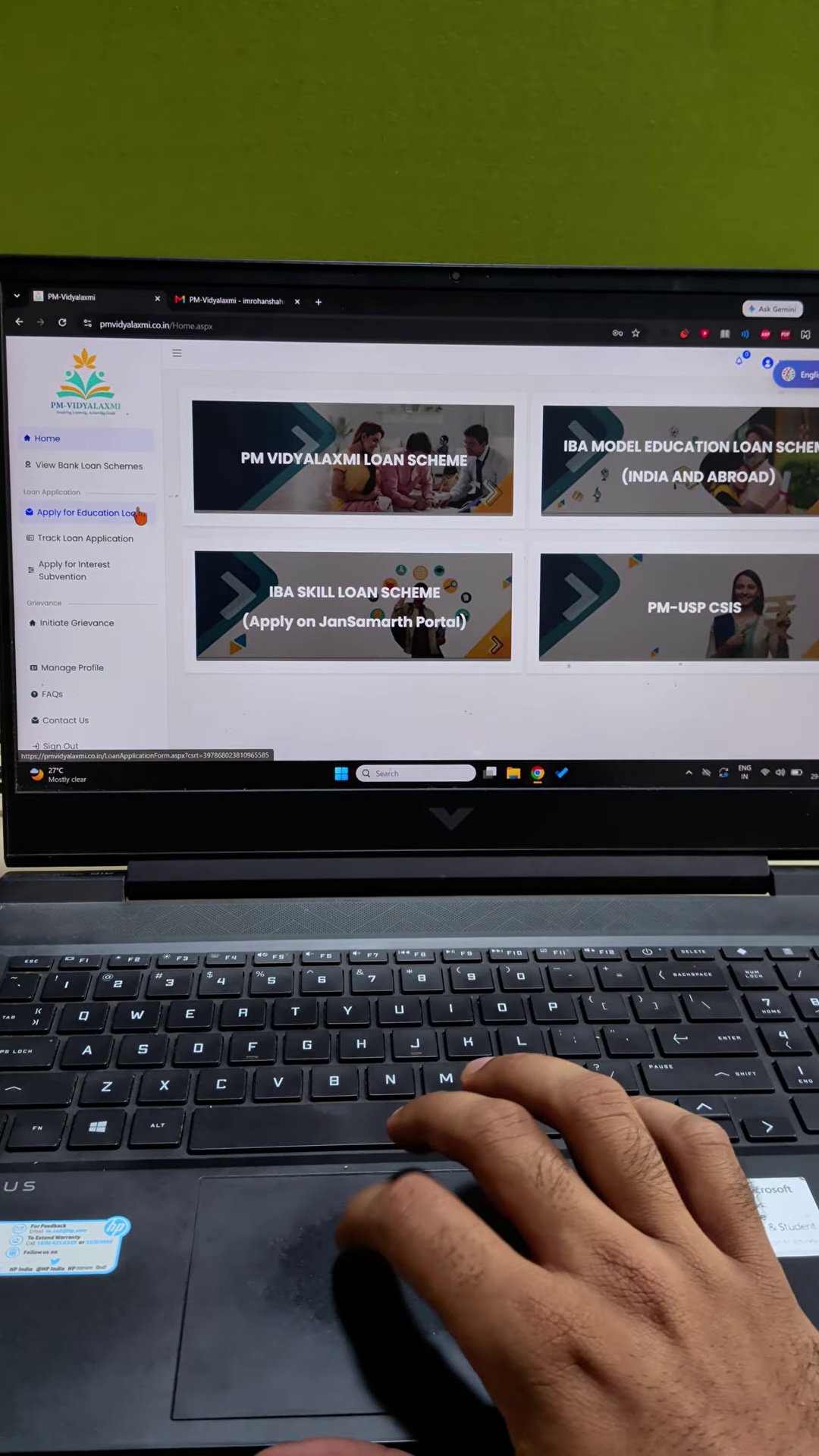
On the left sidebar, there is a clear menu option: “Apply for Education Loan”. I clicked it.
The first stage of the application form asks for Personal Information: your name, parents’ names, date of birth, contact details, PAN, and address. I filled all of it out cleanly and hit Save.
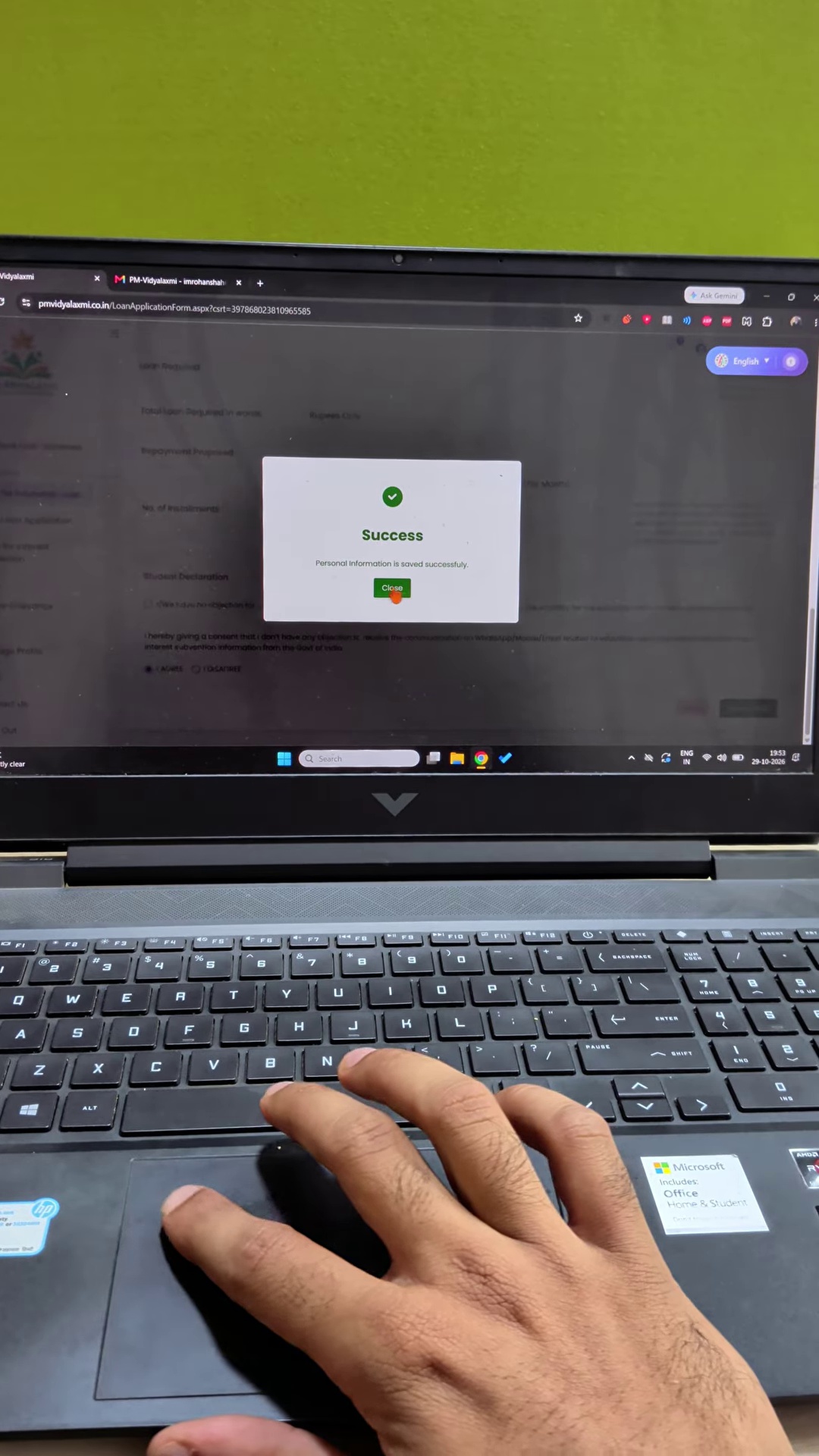
A green modal popped up: “Success — Personal Information has been saved successfully.”
At this moment, you feel a surge of optimism. You think to yourself: “People always complain about Indian government websites being broken, but look at this — it took barely five minutes to set up an account and save my details!”
Little did I know that I was about to hit the digital equivalent of a concrete wall.
Step 3: Selecting the Institution
The next section of the form is Course Details & Institute Details.
Here you are asked to provide:
- Whether admitted under Merit / Management Quota
- Duration of Course
- Date of Commencement and Completion
- Name of the Institution / College *
- Name of the Course *
- Nature of Course
Under Name of the Institution / College, you click to search and select your university. I searched for Rashtriya Raksha University.
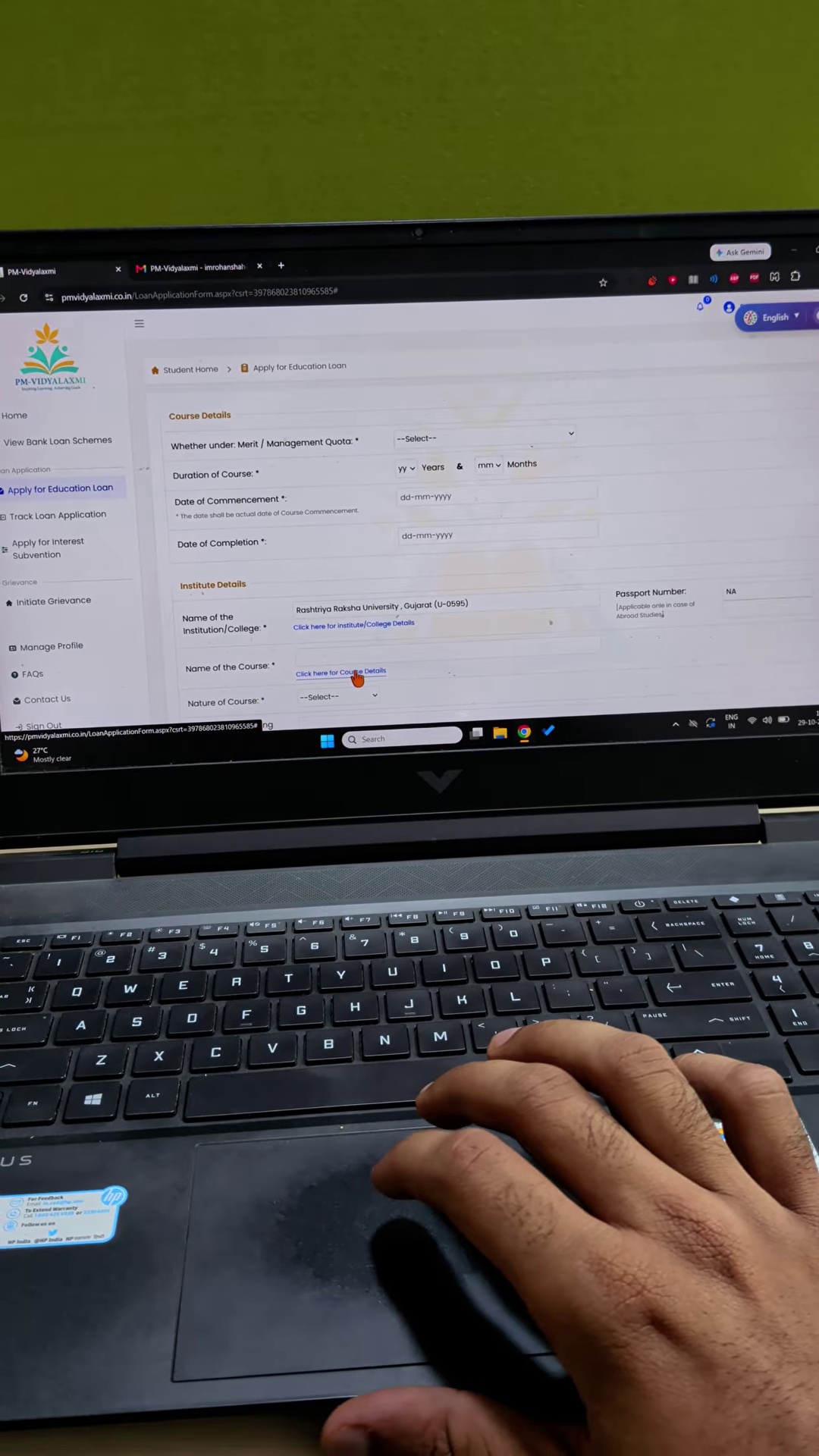
It was found and selected: “Rashtriya Raksha University, Gujarat (U-0595)”.
Rashtriya Raksha University (RRU) in Gandhinagar is not some unrecognised private coaching institute operating out of a basement. It was established by an Act of Parliament (Act No. 31 of 2020) as an Institution of National Importance under the Ministry of Home Affairs, pioneering national security and police administration education.
So the university is selected. Now comes the very next required field right below it: “Name of the Course *”.
Notice the red asterisk (*). It is a mandatory field. You cannot leave it blank. You cannot type into the box manually. You are forced to click a small blue hyperlink underneath it that reads: “Click here for Course Details”.
Step 4: The 2005 ASP.NET Popup Monster
When you click “Click here for Course Details”, modern web best practices would dictate a fast client-side dropdown or autocomplete that queries the courses associated with the selected university ID.
Instead, the portal opens an auxiliary pop-up browser window: pmvidyalaxmi.co.in/SelectInstitute.aspx?tp=C.
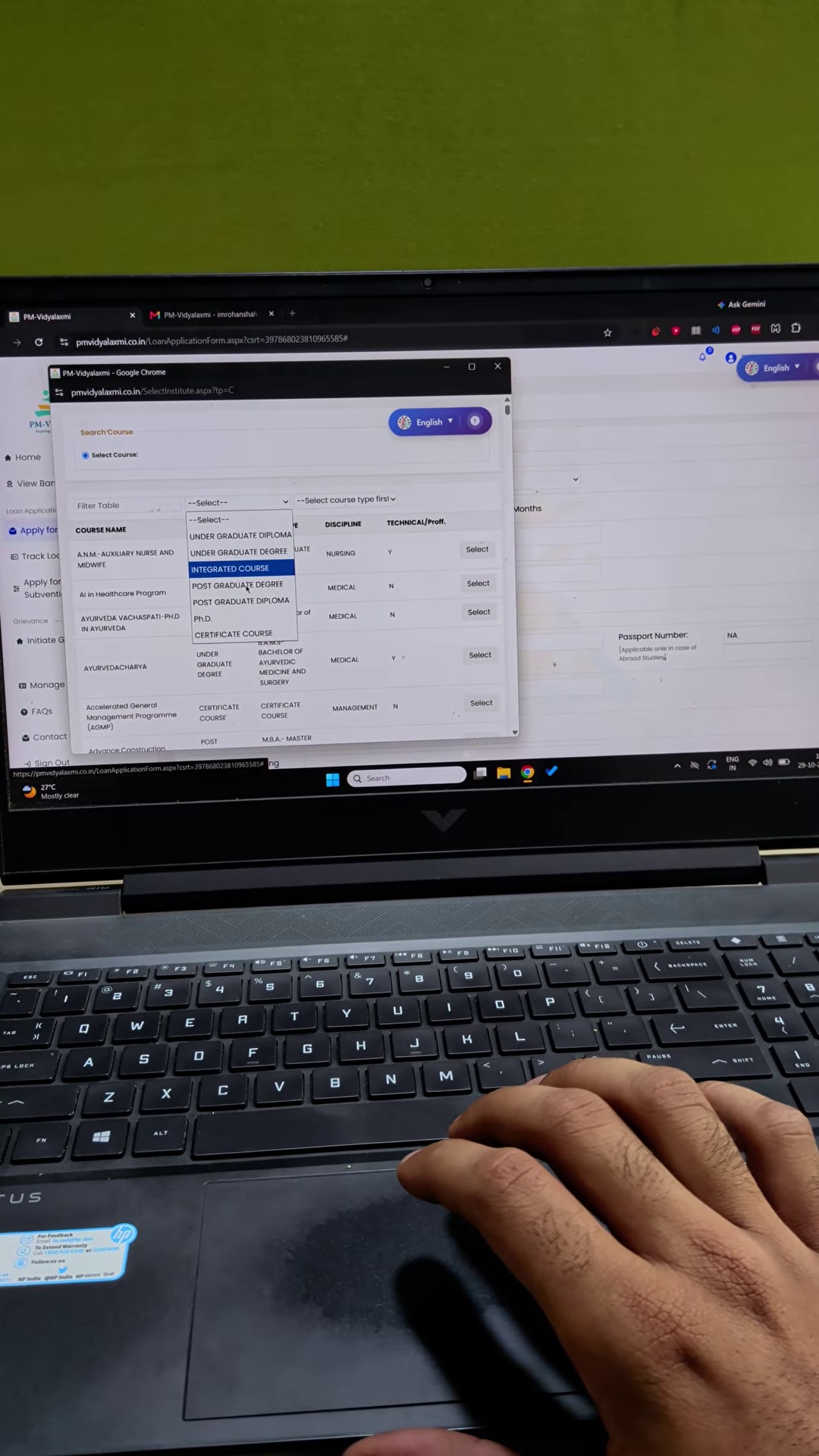
And what appears inside this popup? Take a look at the courses listed in the table:
- A.N.M. — Auxiliary Nurse and Midwife (Under Graduate Diploma — Nursing)
- AI in Healthcare Program (Certificate Course — Medical)
- Ayurveda Vachaspati — Ph.D in Ayurveda (Ph.D. — Medical)
- Ayurvedacharya (BAMS — Bachelor of Ayurvedic Medicine and Surgery)
- Accelerated General Management Programme (AGMP) (Certificate — Management)
- Advance Construction Management (Post Graduate Diploma)
Wait, what? Why is a student applying for a degree at a National Security and Police University being shown courses for Ayurvedic Medicine, Midwifery, and Construction Management?
Because the developers of this portal never bothered to bind the course query to the Institution_ID selected on the parent page! When you open the popup, the backend simply dumps an unfiltered, alphabetical list of random courses across all registered institutions in the country.
Step 5: The Filter That Kills the Page
You think: “Okay, the default query is broken, but there is a ‘Filter Table’ dropdown at the top. Let me filter by level.”
I clicked the dropdown menu under Filter Table. The options include:
- UNDER GRADUATE DIPLOMA
- UNDER GRADUATE DEGREE
- INTEGRATED COURSE
- POST GRADUATE DEGREE
- POST GRADUATE DIPLOMA
- PH.D.
- CERTIFICATE COURSE
Since I was applying for a Master’s degree, I clicked on “POST GRADUATE DEGREE”.
The moment I selected it, an ASP.NET WebForms postback triggered — and the entire popup window went completely, eerily BLANK WHITE.
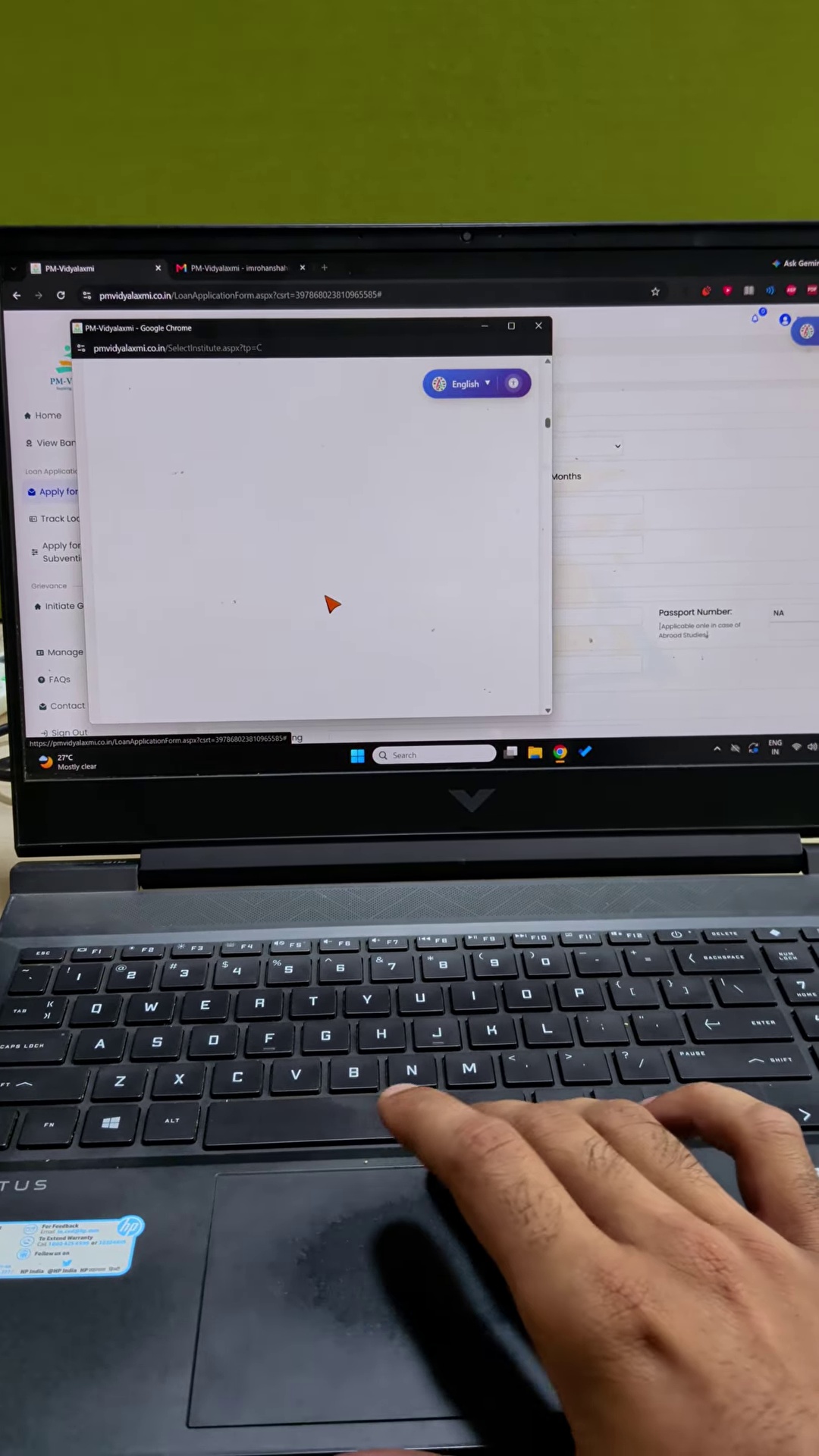
The browser stood completely frozen for several seconds as the legacy server-side scripts wrestled with whatever unindexed database queries were happening in the background.
And when the table finally re-rendered, what did it show? Look at this:
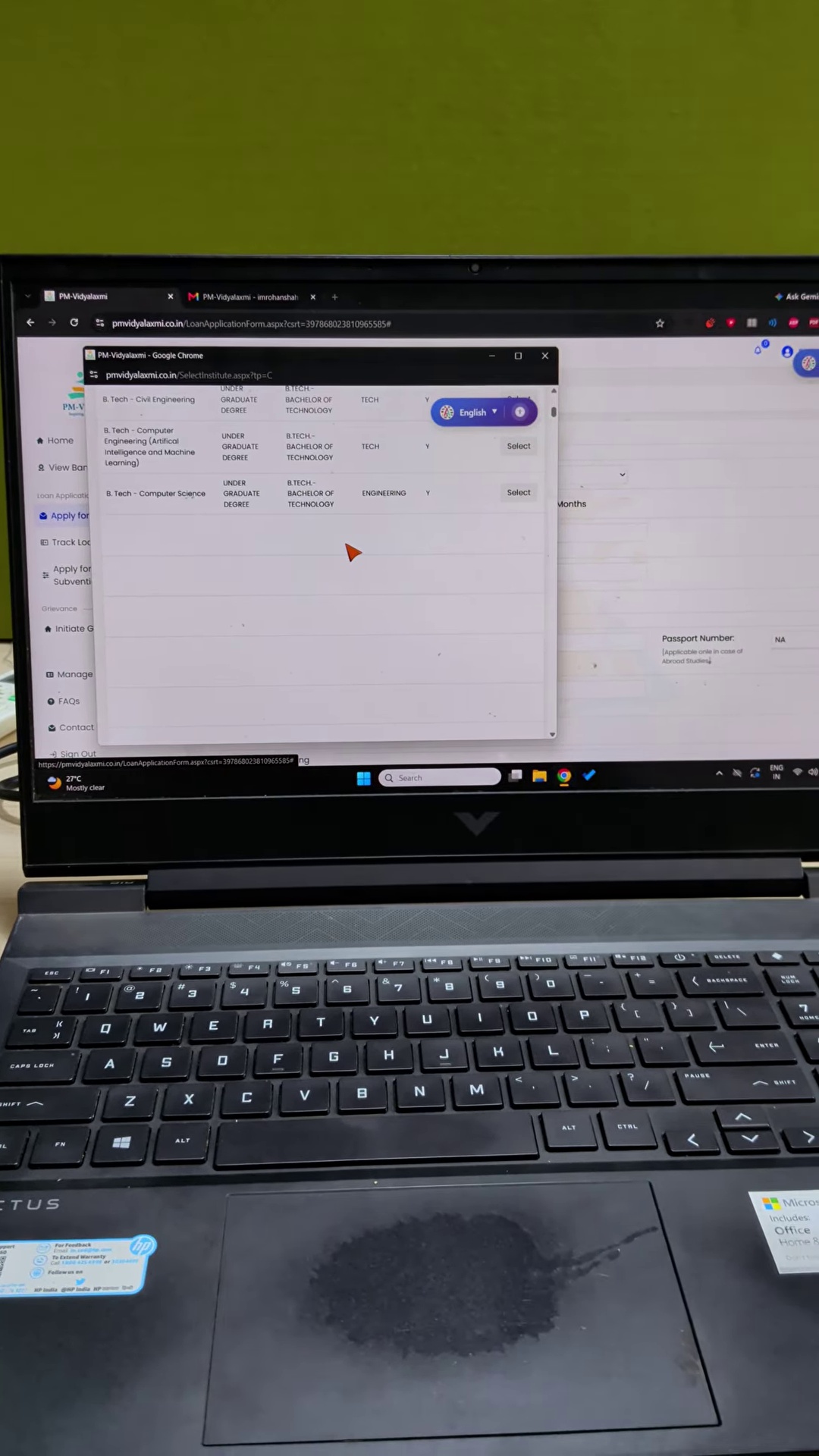
It displayed exactly three courses, and all three of them were UNDER GRADUATE DEGREE:
- B. Tech — Civil Engineering (Under Graduate Degree — Tech)
- B. Tech — Computer Engineering (Artificial Intelligence and Machine Learning) (Under Graduate Degree — Tech)
- B. Tech — Computer Science (Under Graduate Degree — Engineering)
I selected Post Graduate Degree. The portal gave me Under Graduate B.Techs. None of the Master’s degrees offered by the university (like M.Tech in Cyber Security, MA in Police Administration, or M.Sc in Forensic Science) were anywhere to be found.
Step 6: Total Browser Hang & “Page Unresponsive”
At this point, you try to recover. You click to change the filter, toggle the radio buttons, or close and reopen the modal.
And that is when the client-side JavaScript engine enters a complete death spiral.
The cursor freezes. The window stops accepting inputs. And then Google Chrome throws the dreaded system dialog:
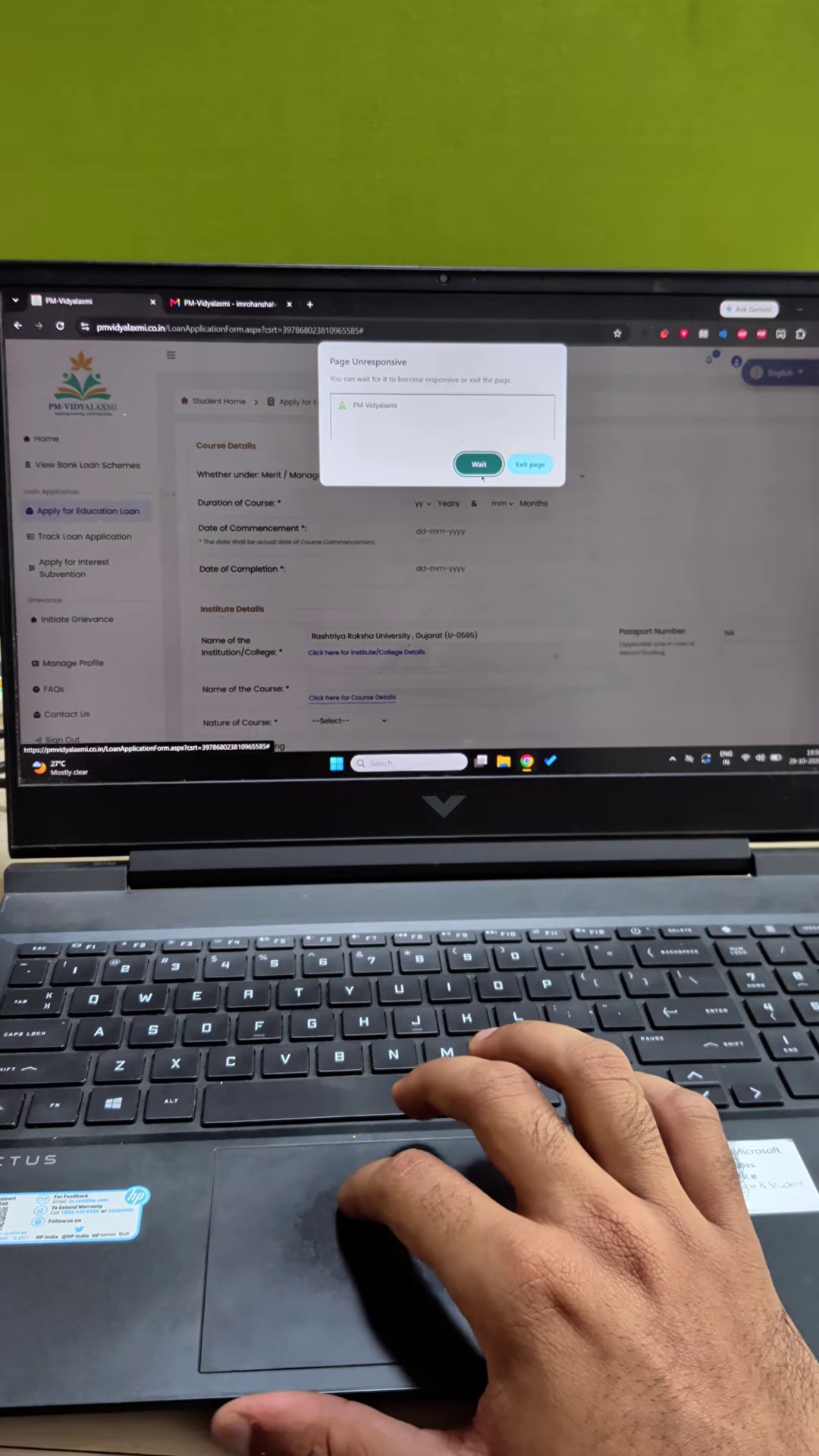
I opened Windows Task Manager (Ctrl+Shift+Esc) to see what was happening. Google Chrome had a process chewing up CPU cycles and memory, completely hung up on unhandled script execution from the Vidyalaxmi portal.
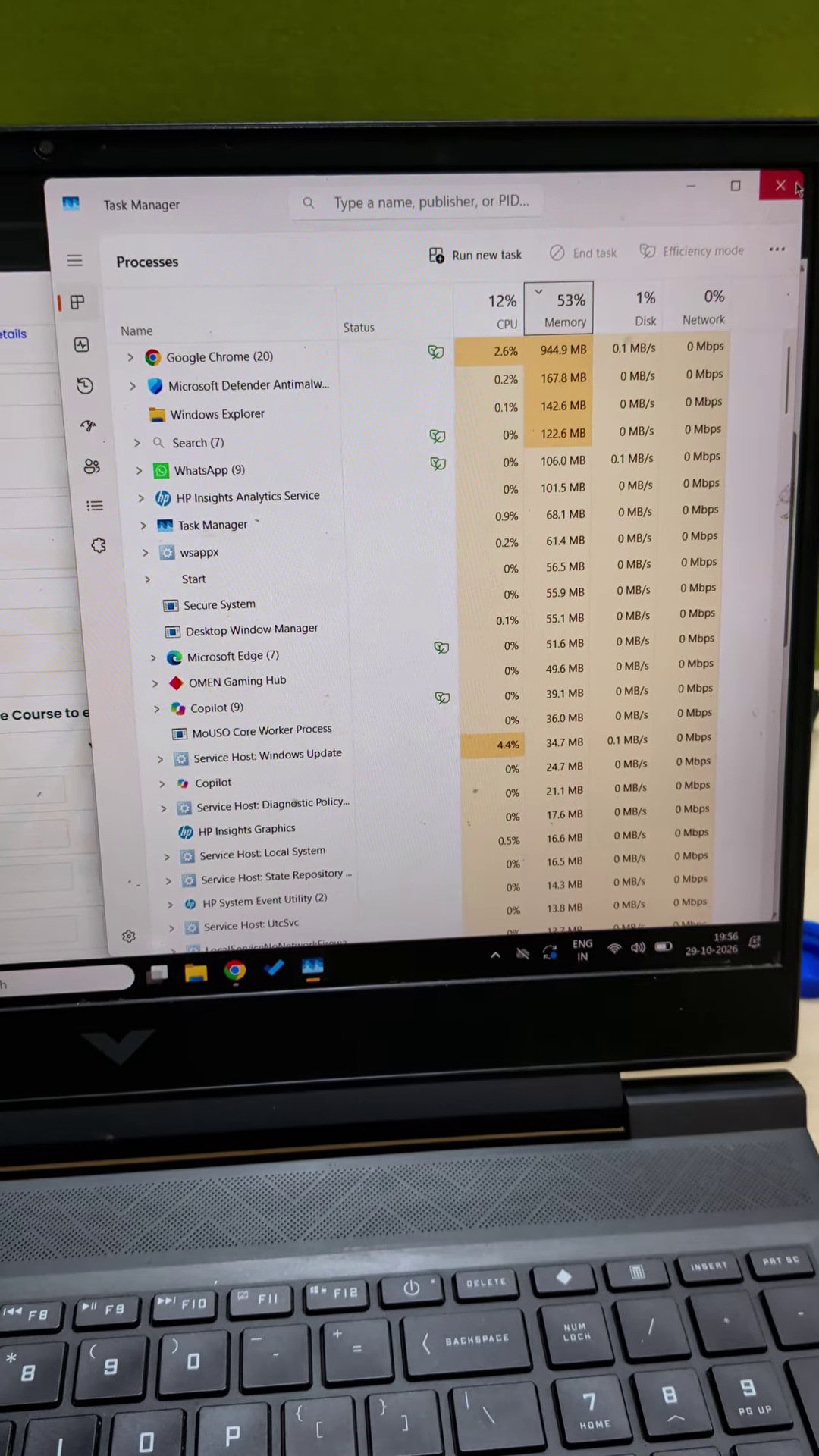
If you click “Wait”, nothing recovers. If you kill the popup window or click “Exit page”, you are returned to the main form.
And on the main form, the “Name of the Course *” box remains stone-cold blank. If you click “Click here for Course Details” again, the event handler is dead. The page will not even open the popup anymore.
You cannot proceed. You cannot submit. You cannot save.
Step 7: The 9:30 PM Toll-Free Call (A Human Answers!) … And The Bounced Email
Sitting in front of a frozen laptop screen at around 9:30 PM on a Thursday night (29th October 2026), with university deadlines looming, I noticed the helpline number printed prominently on the portal header:
Toll Free No: 1800 1031
Anyone who has dealt with Indian public helplines knows what usually happens: endless IVR music, a message saying “All our executives are busy,” or an abrupt disconnect. So you can imagine my sheer shock when, after just a couple of rings, a real human support executive picked up the phone!
I explained the situation clearly:
“I am trying to apply for an education loan for a Master’s degree at Rashtriya Raksha University. The personal details saved fine, but when I try to select my course, the popup freezes Google Chrome, and the filter only displays undergraduate B.Tech courses instead of Master’s degrees. How do I proceed?”
The executive listened attentively. He didn’t deny the glitch, nor did he provide an in-portal workaround. Instead, he gave me what sounded like an official escalation email ID to write to:
pmvidyalakshmi@canarabank.com
(Canara Bank historically serves as the designated nodal bank handling central education loan subsidy schemes like CSIS on behalf of the Ministry of Education).
For a brief moment, you feel genuine relief. “Okay,” you think, “maybe there is a dedicated technical operations team behind this inbox that can manually link the course or unblock the form.”
I immediately opened my email client, drafted a detailed message explaining the issue, and hit Send.
Within seconds, my inbox chimed with a new notification.
Was it an automated acknowledgment with a ticket tracking number?
No.
It was a Mailer-Daemon delivery failure notification — a mailback bounce error.
The email address handed out directly by the official toll-free telephone support executive does not exist, has an inactive mailbox, or refuses incoming mail. It was another airtight, impenetrable digital dead end.
The Real Tragedy: The Bureaucratic Catch-22
If this were an online shopping site that froze while buying a t-shirt, you would close the tab, laugh it off, and buy from somewhere else. But this is not an online store. This is the Government of India’s sole designated portal for student loans.
Because the form halts at Course Details, look at all the things you are completely blocked from reaching:
- You cannot enter the Loan Amount Requested or the schedule of tuition fees and hostel charges.
- You cannot select the Preferred Lending Banks (SBI, Bank of Baroda, Canara Bank, etc.) or your local branch.
- You cannot upload your admission letter, fee structure, marksheets, or KYC documents.
- You cannot generate an Application Reference Number (ARN).
The Catch-22 in the Real World
Now consider what happens in the life of a real student:
- A student from a middle-class or lower-income family works hard, clears competitive exams, and secures a seat in a prestigious Government University or Institute of National Importance.
- The university issues an admission letter with a strict deadline — usually 7 to 14 days — to deposit the first semester fees, failing which the seat is forfeited to the next candidate on the waiting list.
- The family does not have ₹1.5 lakh or ₹3 lakh in ready cash. They rely on the promised “speedy, hassle-free education loan” under PM Vidyalaxmi.
- The student sits at a cyber café or on a family laptop. The portal crashes on course selection.
- Because ordinary citizens do not inspect developer console logs or know what an unhandled ASP.NET postback error is, they blame themselves. They think their internet is slow or their browser is broken. They try 10 times. They waste 3 days.
- They call the 1800 helpline. The agent gives them an email address. The email bounces.
- Desperate, the student and their parent travel to the nearest physical branch of State Bank of India or another PSU bank with all their paper documents.
- They sit in front of the bank loan officer. And what does the loan officer say?
“Sir, as per Ministry of Education guidelines and IBA norms, we cannot accept physical loan applications directly. You HAVE to apply online through the Vidyalaxmi portal and bring the printout with the Application Reference Number.”
Read that again.
The portal won’t let you apply without passing the course filter. The bank won’t talk to you without the application from the portal. And the official helpline hands you a dead email address.
The student is trapped in an infinite bureaucratic loop between an unresponsive website, a dead-end email, and an unyielding branch manager. Meanwhile, the university’s admission deadline expires, and a life trajectory is permanently altered — not for lack of merit, but because an outsourced government contractor couldn’t write a functioning dropdown menu.
How Did We Get Here? (And How to Fix It)
The issue here is not that software has bugs. Every software has bugs. The issue is the complete disconnect between policy PR and software accountability in Indian public digital infrastructure.
- Zero Automated End-to-End Testing: If Protean eGov had a basic automated test suite that simulated applying for courses across the top 100 institutes of national importance (IITs, IIMs, NITs, Central Universities like RRU), this bug would have been caught in 30 seconds. The fact that it sits live in production proves that nobody in charge ever tested the real-world student journey from start to finish.
- Archaic Architecture: Why are we still using 2005-era ASP.NET WebForms with modal popups (
SelectInstitute.aspx?tp=C) in 2026? Modern web development solved cascading dropdowns and instant search a decade ago with lightweight REST/GraphQL APIs and clean client-side state management. - The Absence of a Manual Fallback: If an institution or course is missing or miscategorised in the central database, the user should be allowed to select “Other / Not Listed”, manually type the course name as written on their official admission letter, upload the letter, and proceed. Hard-blocking a student because of a database mismatch is bad product management.
- The Illusion of Customer Support: On paper, there is a toll-free helpline (1800 1031). When you call it at 9:30 PM, a human agent answers and gives you an email address (
pmvidyalakshmi@canarabank.com). But when you email it, the message bounces instantly. Having a support desk that hands out non-existent email addresses is worse than having no support at all — it wastes citizens' time giving them false hope before dropping them into yet another dead end.
The Takeaway
India doesn’t lack ambitious policy schemes. We have PM Vidyalaxmi, JanSamarth, Start-Up India, GeM, and dozens more. But an ambitious policy is only as good as the least functional line of code between a citizen and the benefit.
If you are an Indian student trying to apply for an education loan today on PM Vidyalaxmi and finding yourself stuck on a frozen screen, know this: it is not your computer, it is not your internet connection, and you did nothing wrong. The digital infrastructure you were promised simply does not work as advertised.
Until government agencies hold their IT vendors to the same performance and reliability standards that private tech companies face every day, “single-window digital governance” will remain a slogan on billboards rather than a reality on students’ screens.
Have you faced similar issues with Vidyalaxmi or other government portals? Share your experience with me on Twitter/X: @mrohanshah.